In our last MBSE SysML v2 article, we discussed requirements engineering in CDP4-COMET and SysML v2. Now we present one of the most well-known tools in system engineering: the product tree.
Here, we look at how to build a product tree in both CDP4-COMET and SysML v2. We show how CDP4-COMET structures a product through element definitions and their usages, with each element owned by a domain of expertise, and how SysML v2 expresses the same decomposition with part definitions and part usages. The product tree is the only structure that exists in both languages.
By Anh-Toan Bui Long, Starion Concurrent Design & MBSE Expert
Why product trees matter for project management
The product tree is often used in project management to give an overview of what needs to be delivered as a final product and to assign delivery responsibilities. For example, consider a car whose four wheels each have a tyre and a metallic wheel that are provided by two companies other than the car manufacturer. The product tree makes this visible: each node in a branch is a deliverable and each deliverable has an owner, a supplier and, eventually, a set of requirements and interfaces attached to it. This can even become a work package in the scope of a project.
This representation is therefore useful in order to list all the elements in a system and make sure no element is missing. It also becomes the backbone for many other engineering activities: mass and power budgets are rolled up along it; costs are aggregated through it; and verification activities are often planned against it. In the example above, these activities could be quality tests on each element of the wheel assembly.
Product trees in system engineering
In the scope of system engineering, a product tree is rarely done on the fly or as a first step: either overdo it and your system will overshoot your budgets with components nobody actually needs, or ‘under model’ it and you will miss requirements. Either way, you end up redoing the system model or, worse, the whole system.
This is why model-based system engineering (MBSE) methodologies like Arcadia usually start with a step that produces a ‘function breakdown structure’.
Function trees (another name for the function breakdown structure) let you model what your system must do before deciding how it will do it or which physical components will be involved. Once the functions are well understood, they can be allocated to logical and then physical components, and the product tree emerges from those allocations rather than from guesswork. Every element in the product tree then has a reason to exist: it performs at least one function and answers at least one requirement.
Modelling product trees in CDP4-COMET
CDP4-COMET is a tool intended for concurrent design; in particular, preliminary designs of systems. It is used for modelling and assessing if a design can meet the system’s requirements or users’ needs. Detailing the function tree at this level is therefore not relevant as the full analysis would be done after this work.
Element definitions
CDP4-COMET has a similar way of declaring elements in the model as SysMLv2: first create a definition of the element you want to use and then use it in a product tree. An element definition is, as its name suggests, a definition of a ‘thing’ in your system: it contains the parameters of that element and which other elements it uses.
➡️ To create the definition and its usages in CDP4-COMET’s desktop application, start by opening the Element Definitions panel in Model > ‘Engineering Model’ section > Element Definitions.
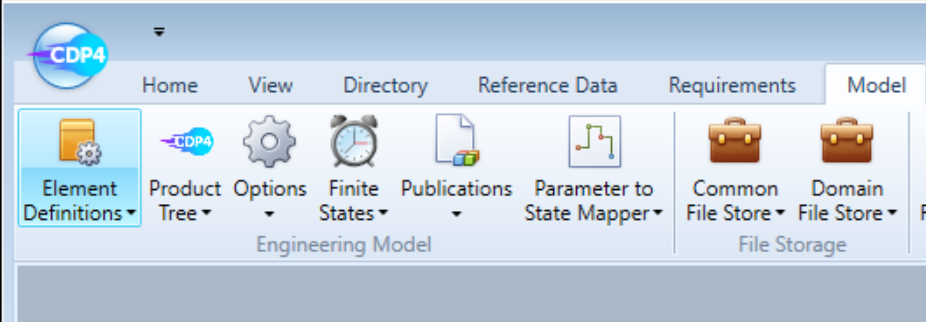
➡️ Right-click on the panel and click on ‘create an Element Definition’.
➡️ Add all elements. For the top element, e.g. your system, check the corresponding check box.
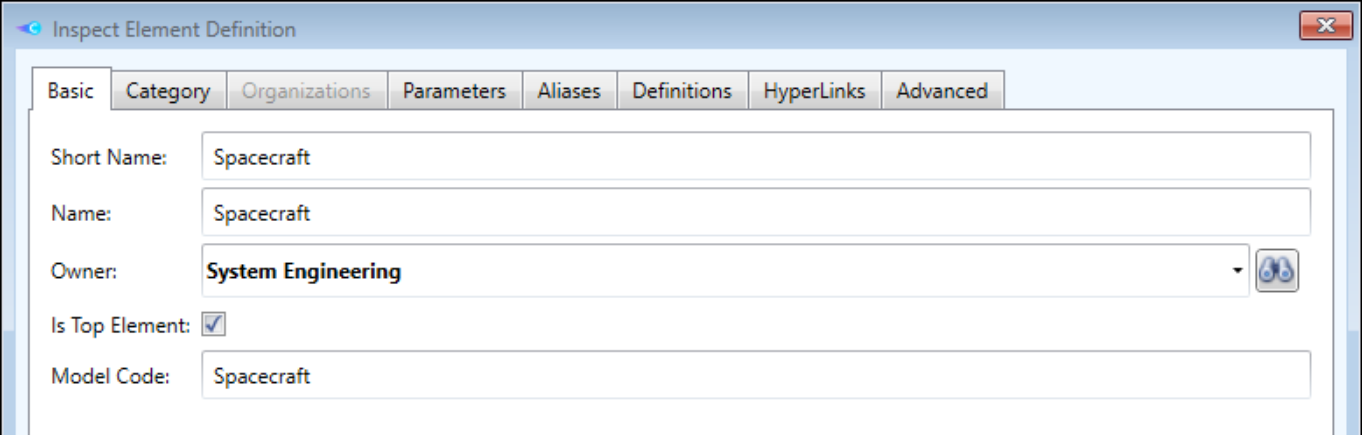
➡️ Add as many element definitions as you need. Your list of element definitions should look like this:
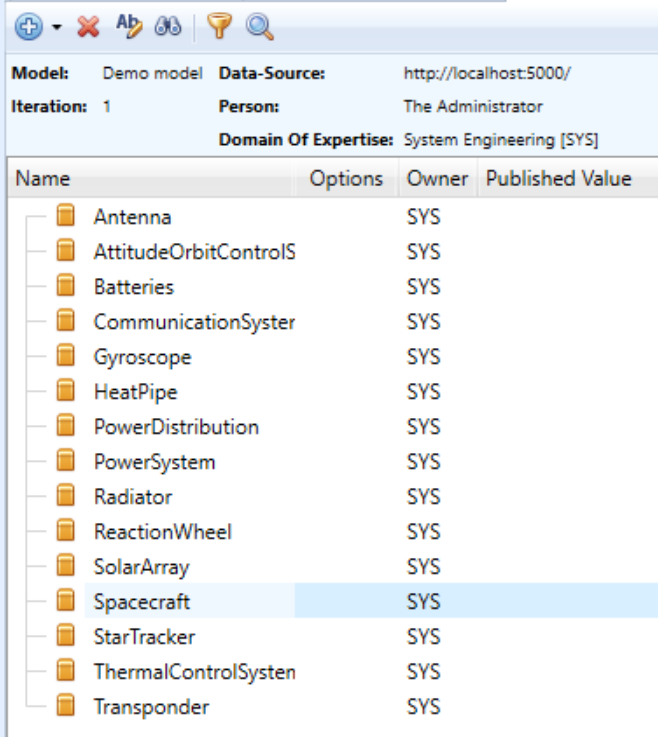
➡️ Once your element definitions are ready, drag and drop each element onto their parent element. What you just did is define the building block (through element definitions) so they specify the different elements they contain (the element usages).
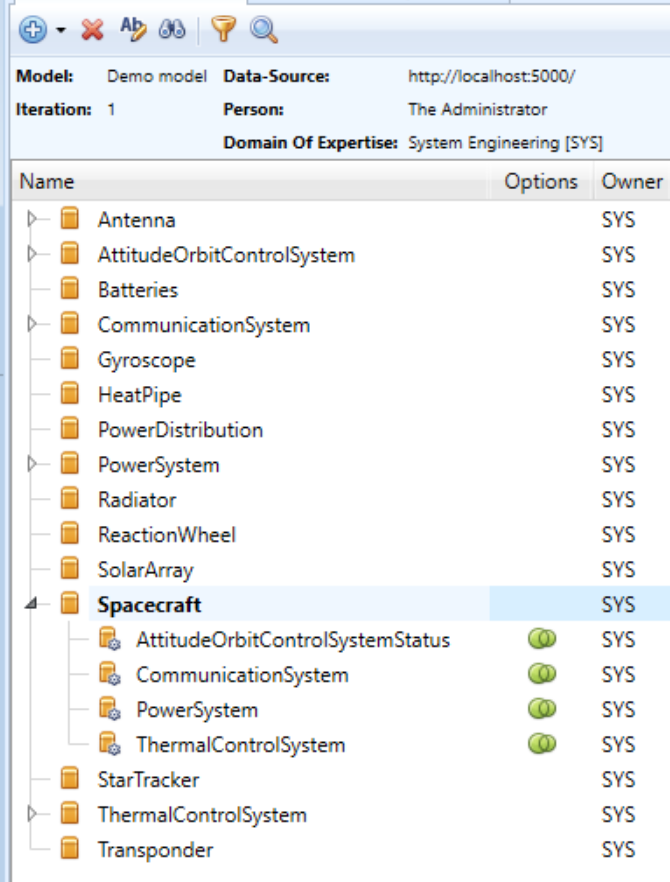
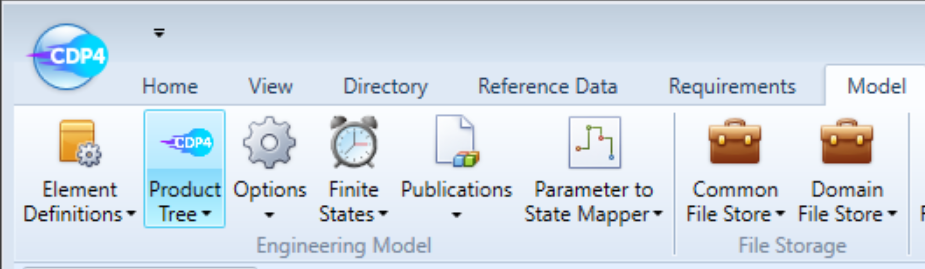
➡️ Next, navigate to the Product Tree panel:
The Product Tree now shows the relationship between the element definitions:
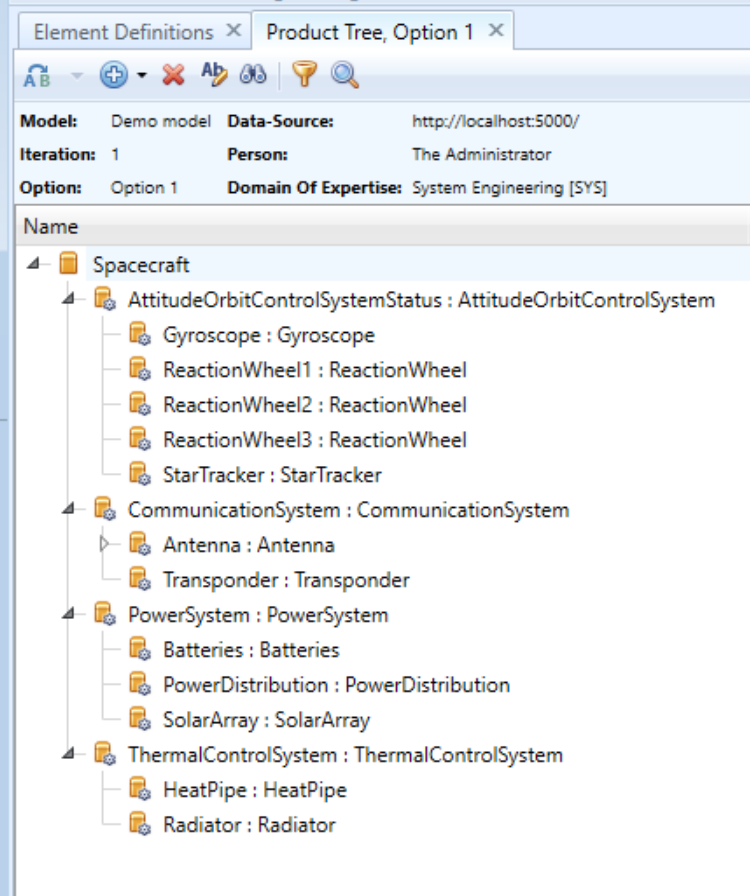
Because you have defined the element definitions, the product tree is built automatically: the system reuses each element definition you created according to the definition you specified (including the parameters that are in the system).
For example, in this Attitude & Orbit Control System element definition, I can use the same reaction wheel three times. A change in the parameters of the reaction wheel will directly impact all the usages in my system. As a next step, I could rename the element usages of the reaction wheels so that we can differentiate between them in the model: for example Reaction Wheel 1, Reaction Wheel 2 and Reaction Wheel 3.
Product trees in SysML v2
If you read our previous article about SysML v2, you know that SysML v2 also relies on definition and usage. As with CDP4-COMET, you need to define the parent element for each part definition, and then the global parent element.
Let’s take the same example as in CDP4-COMET.
In the code, we define a spacecraft (line 3), the different subsystems that constitute the system (lines 4 to 7), the definition of each subsystem (lines 10, 15, 23 and 29), and each component that constitutes the subsystems (lines 34 to 43).
Finally, the spacecraft is used in the last line of the model at line 45.
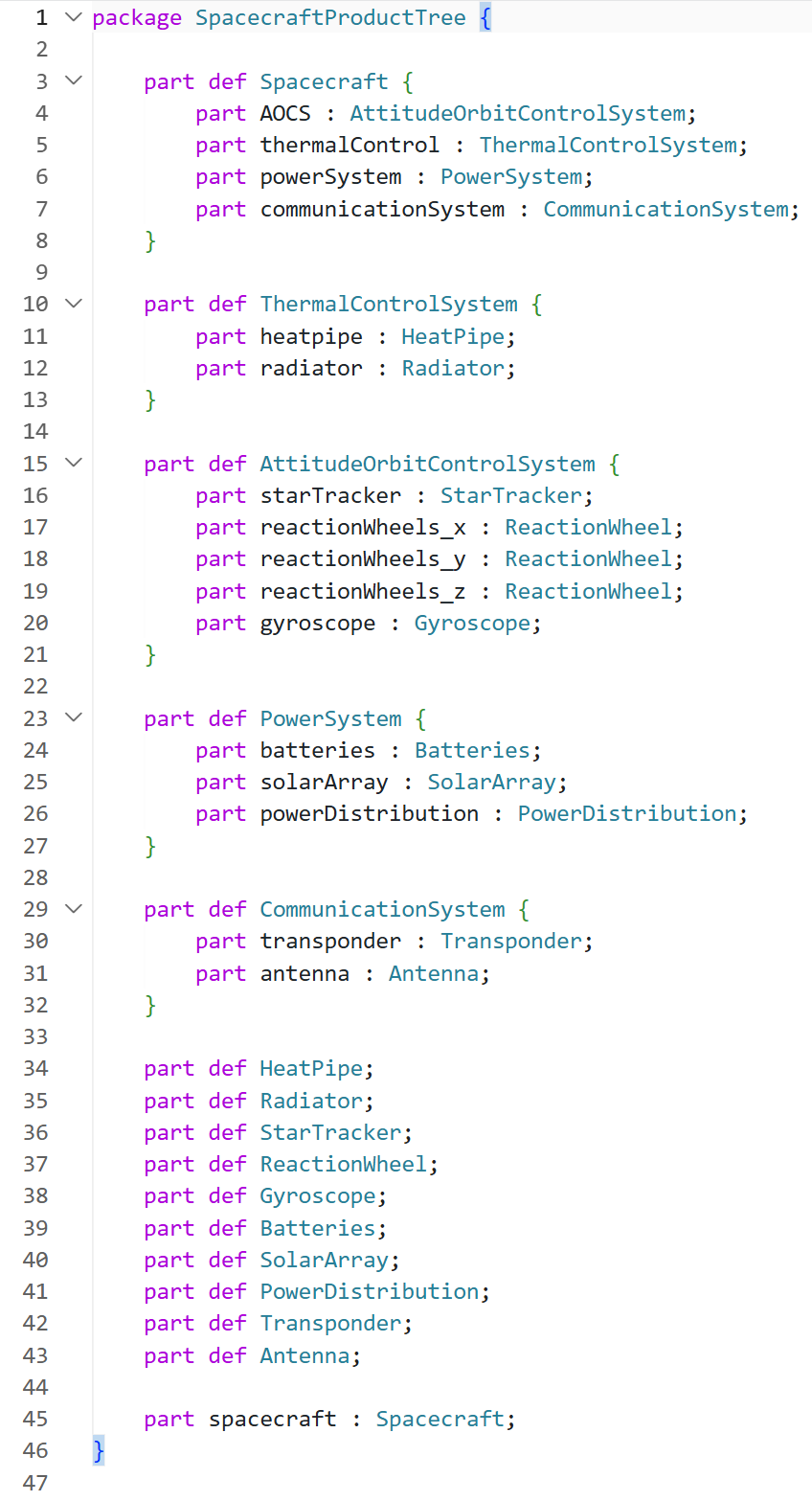
Everything is contained in a single file, but nothing stops you from creating as many packages as you want to structure your model. You could have one file per product definition, each with their own modeller.
How do we manage access rights to model information?
In an extended enterprise, where multiple organisations and engineering teams collaborate on the development of a common system, controlling access to model information is an important consideration.
SysML v2 provides mechanisms for structuring system models. However, how do you restrict access to specific parameters according to the responsibilities and permissions of the different stakeholders? For instance, a mechanical engineering team may need to modify mass and geometric parameters, while a thermal engineering team should be able to access and update thermal properties, but both need to do so without inadvertently modifying parameters owned by other disciplines.
For a SysML v2 model, we need to recreate a product tree with folders that each have specific access rights. However, such an approach introduces an additional structural layer that must be maintained alongside the original system model.
CDP4-COMET offers an alternative approach using the concept of ownership, which is defined based on the domains of expertise of the users.
The domains of expertise allow parameters to be associated with specific engineering domains, giving users access to these parameters depending on their domain. For example, a user may be authorised to modify the parameters they own (belonging to their domain), while being restricted from modifying parameters assigned to other domains. This approach makes it possible to distinguish ownership of engineering data from the physical decomposition of the system, avoiding the need to reproduce the product tree solely for access control purposes.
Summary
The product tree may look like one of the simplest views of a system but it supports much of the engineering work around it. CDP4-COMET and SysML v2 share the same core idea – define an element once, then use it as many times as needed – each with its share of advantages and considerations.
To help you to make a choice, you can reach out to our team, who can also provide guidance and support on anything else related to MBSE, SysML v2 and/or concurrent design.
Want to learn more?
If your team or organisation is interested in MBSE or would like to learn more about SysML v2 to implement it in your projects, sign up to our MBSE and SysML v2 newsletter. Now is the perfect time to start exploring SysML v2, test out new tools and define transition plans to adopt the new version in your modelling activities.